Quick answer: A remote split-sheet workflow lets collaborators in different locations review one shared ownership record, confirm their information, sign, and receive the same final document.
The real-world remote collaboration scenario
You make a beat in Texas. A featured artist records in another state. A songwriter sends a hook from a third studio. Nobody is in the same room, but the release needs one ownership record.
The answer is not another group text. It is a shared draft with individual signature invitations and visible status.
Step 1: create one authoritative draft
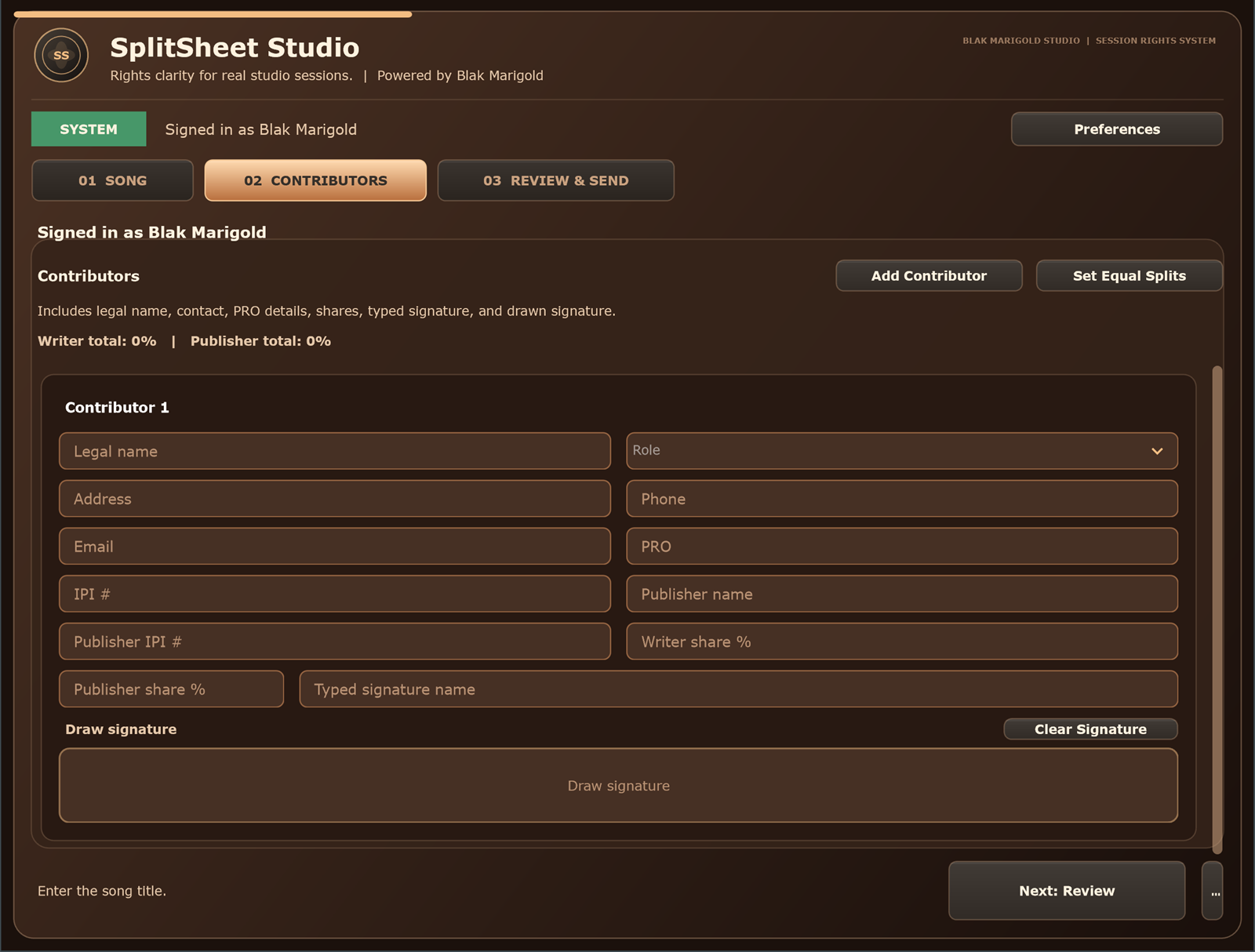
The initiator enters the title, date, contributors, roles, legal names, contacts, PRO and publisher details, and proposed shares. Writer ownership must total 100% before finalization.
Use a version or audit timestamp so edits can be distinguished from the draft originally viewed.
Step 2: send secure signature invitations
Each contributor receives a unique link instead of a shared editable URL. The invite should identify the song, sender, requested action, and security expectations.
A contributor should review the full split picture, not only their own number. Informed agreement requires context.
Step 3: review, correct, and sign
The signer verifies identity, role, email, publisher information, and percentages. If something is wrong, return to draft instead of collecting a signature on incorrect data.
Typed names, drawn signatures, consent, timestamps, and event logs strengthen the operational record.
Step 4: finalize only after every required signature
The document remains pending while any required contributor has not signed. Once all signatures are present, the system revalidates totals, locks the completed version, and marks it fully executed.
If a signed field changes, require renewed confirmation.
Step 5: deliver the same completed copy
Email the final PDF or image to every contributor. It should display the song data, ownership percentages, signatures, completion date, and a consistent identifier.
Store a durable server-side copy so the initiator is not the only person with the record.
What makes the remote experience feel smooth
- Mobile-friendly signing.
- Clear progress such as “2 of 3 signatures complete.”
- Automatic reminders that stop after signing.
- Plain-language errors.
- A visible correction request.
- Immediate final delivery after the last signature.
Split Sheet Studio is built around this flow for the web app and DAW workflow.
Remote workflow priorities by role
Artists
You can sign from your phone, but you still need to review every contributor and percentage before agreeing.
Producers
Send each collaborator an individual link so one person's signature cannot stand in for the whole team.
Studios
Remote signing keeps late-arriving collaborators from delaying final records after the session ends.
Managers
Watch signature status and correction requests so releases are not blocked by one missing approval.
Real session scenario
A hook writer is in Atlanta, the producer is in Austin, and the featured artist is on tour. Everyone agrees in the chat, but no one signs a unified record. Remote invitations turn that scattered agreement into one completed document.
Remote signature control table
| Control | Why it matters | Implementation note |
|---|---|---|
| Unique links | Prevents one shared URL from representing multiple people. | Send one invite per signer. |
| Full-document review | Signers need to see the whole ownership picture. | Show all contributors and totals. |
| Locked final PDF | Protects the completed record from silent edits. | Finalize only after all required signatures. |
| Status tracking | Keeps managers from guessing who still needs to sign. | Show pending, viewed, signed, and expired states. |
Remote signing checklist
- Create one authoritative draft.
- Validate totals before sending invites.
- Send unique links to each contributor.
- Correct errors before collecting signatures.
- Deliver the same completed copy to everyone.
Turn this into a repeatable session system
The best music-rights workflow is boring in the right way: the same fields, same closeout habit, same storage location, and same confirmation path every time. For remote split sheet work, that means the team should not wait until release week, a sync pitch, or a payment dispute to collect the facts.
- Before the session: ask who is writing, producing, engineering, featured, managing, or controlling the master.
- During the session: capture names, emails, roles, titles, and any beat, sample, or publishing questions as they come up.
- Before people leave: confirm percentages, approval contacts, and unfinished questions while everyone can still answer.
- After the session: save the completed record beside the audio files, metadata, stems, invoices, and release notes.
That rhythm helps artists, producers, studios, managers, and sync teams move faster because the catalog becomes organized by default instead of cleaned up in a panic.
Green-light questions before you move forward
Before treating this remote collaboration workflow as finished, make sure a person outside the session could understand the record without calling everyone back. A strong answer should be specific enough for a collaborator, publisher, studio admin, or sync clearance contact to act on it later.
- Does the record name every person or company that must approve, register, deliver, or receive a copy?
- Do the percentages, identifiers, credits, and contacts match across the split sheet, metadata, distributor upload, and licensing notes?
- Can the team explain what is still unknown without turning the unknown field into a guess?
- Would the same information help a music supervisor, publisher, manager, or studio assistant move faster under a deadline?
Frequently asked questions
Can musicians sign from different states?
Yes. A digital workflow can let each contributor review and sign the same record remotely, subject to applicable electronic-signature and contract rules.
Should the creator sign before sending an invite?
The initiator can sign first, but no version should be final until every required party confirms the same terms.
What should the invite email contain?
Identify the song and sender, explain the action, provide a secure unique link, state any expiration, and offer a correction path.
What happens if a collaborator requests a change?
Pause finalization, revise the shared draft, and require every affected contributor to confirm the new version.
When should the completed copy be emailed?
Send it automatically after all required signatures are complete and ownership totals pass validation.