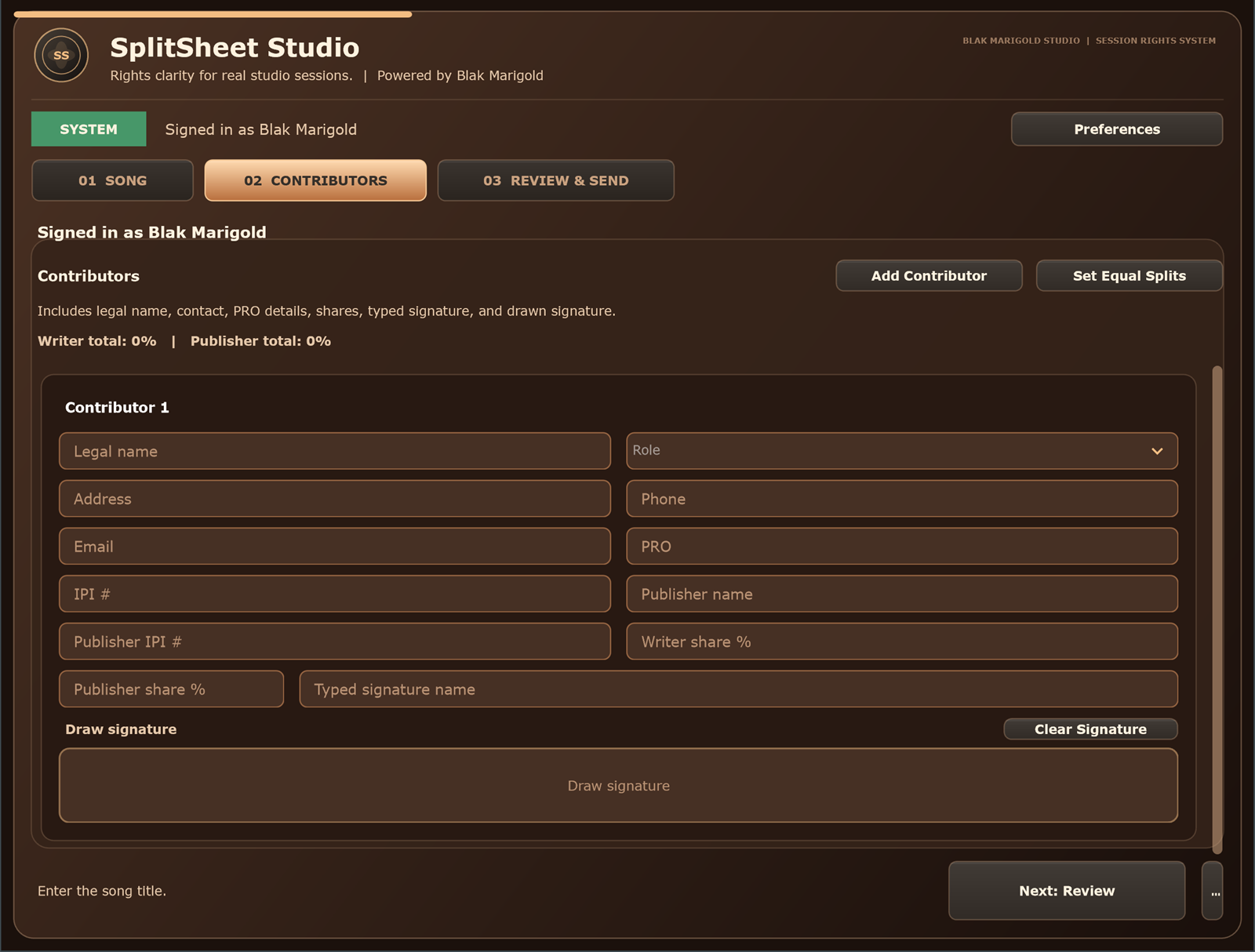
Quick answer: Recording studio session closeout is the final routine that turns a finished session into a documented record of contributors, splits, credits, master notes, signatures, files, and next steps before everyone leaves.
Why studio closeout matters
Studios are already trusted rooms. Artists come in to create, managers ask for deliverables, producers expect credits, and engineers know which files are final. That makes the studio the perfect place to capture paperwork while the truth is still in the room.
A closeout workflow does not turn the engineer into a lawyer. It gives the session a professional handoff: who contributed, what the song is called, what percentages were agreed, what credits should appear, who controls the master, what files were delivered, and what still needs follow-up.
The five-minute workflow: session to split to signed
The closeout should feel simple enough to run after a long night. Think of it as a repeatable checklist, not a meeting. When the final bounce starts or the session is wrapping, open the split-sheet workflow and collect the core record.
- Minute 1: confirm the song title, session date, artist, producer, engineer, and contributors.
- Minute 2: capture roles, emails, credits, publisher or PRO details when known, and master notes.
- Minute 3: enter composition percentages and validate that the total equals 100%.
- Minute 4: send secure signature links to in-room and remote collaborators.
- Minute 5: save the final PDF or pending recap beside the audio folder and metadata notes.
Step 1: name the record and the people
Start with names. Capture the artist name, legal names where appropriate, professional names, emails, phone numbers when used for coordination, and the role each person played in the room. Include songwriters, producers, featured artists, musicians, engineers, managers, and anyone who needs a copy.
Credits and ownership are different. Someone can deserve a public credit without owning the composition. Someone can own part of the song without being featured on the recording. The closeout should make those layers visible instead of mixing them together.
Step 2: capture publishing, master, and sample notes
Collect publisher, administrator, PRO, and IPI details when people know them. If they do not know them, mark the field as unknown and assign a follow-up owner. Guessing can create worse data than leaving a clean blank.
Then capture master-side notes. Who paid for the recording? Is there a label? Are there producer points? Was a beat licensed? Did anyone use a sample, interpolation, loop, or third-party stem? Those details may not belong on the composition split, but they belong in the session handoff.
Step 3: validate 100% before the bounce leaves
The split conversation is easiest while everyone remembers the contributions. Enter the agreed composition percentages and make sure the total reaches 100%. If the team is not ready to decide, label the split as a draft and schedule the follow-up before the project leaves the studio.
Do not let a 95%, 105%, or “we will figure it out later” record become the release source of truth. A small mismatch can create registration conflicts, royalty disputes, and sync clearance delays later.
Step 4: sign in the room or send secure links
For collaborators in the building, signing can happen before they leave. For remote writers, managers, or producers, send individual links so every signer reviews the same record. A shared editable link is weaker than a controlled signature flow.
The signer should see the song title, all contributors, all percentages, and the terms they are confirming. If someone requests a correction, pause the final version, update the record, and send the revised version for confirmation.
Step 5: deliver the final PDF and close the folder
After signatures are complete, deliver the same final PDF to every contributor. Store it beside the final mix, instrumental, clean version, stems when available, lyrics, credits, invoice, session notes, and metadata.
Use one consistent naming convention. A folder named with the artist, song title, date, and version is easier to search than a folder full of mystery files. The goal is for a manager, artist, or studio assistant to find the correct document months later without calling everyone.
How studios turn paperwork into a premium service
Session closeout can become part of the studio brand. It tells clients that the room cares about the business life of the song, not only the recording. That matters to serious artists, sync producers, indie labels, managers, and publishing-minded teams.
Frame it as a value-add: “Before you leave, we will help you capture the split, credits, signature links, and final PDF so your release paperwork starts clean.” That sentence feels professional without offering legal advice.
Make every studio handoff sync-ready
A studio closeout should support future sync licensing even if the artist is not pitching today. The same data that helps distribution and royalties also helps clearance: contributors, publishers, master owner, ISRC, ISWC when assigned, lyrics, explicit status, instrumental files, sample notes, and approval contacts.
When a supervisor asks for music, the artist should not need to reopen old group chats. Pair this workflow with the one-stop music licensing guide and the sync licensing checklist.
How the Windows plugin fits the workflow
Split Sheet Studio can be used through the web app, standalone Windows app, and Windows VST3 plugin. Until broader plug-in formats are available, studios can rely on the hosted web workflow for client-facing closeout and use the VST3 download in compatible Windows DAWs that accept VST3.
The web workflow is ready for session closeout, while the downloadable DAW workflow keeps the split sheet close to the creative moment.
Turn closeout into a daily studio habit
The best closeout system is consistent. Put it into the engineer checklist, assistant handoff, booking notes, and end-of-session wrap. Use the same fields every time so the team stops inventing paperwork under pressure.
- Ask about splits at booking or session start.
- Collect emails before contributors leave.
- Review titles and credits before export.
- Send signature links while the session is still active.
- Attach the final PDF to the session folder and client delivery email.
That habit makes the studio more valuable because the client leaves with a better song package, not just a better recording.
How each role benefits from session closeout
Studio owners
A five-minute closeout system makes the studio feel premium because clients leave with organized rights data, not only audio files.
Engineers
You do not have to decide ownership. You need a calm workflow that captures names, credits, splits, and unfinished questions before the room empties.
Artists
Closeout protects momentum. The release, registration, and sync prep start from one signed record instead of memory.
Managers
A repeatable studio handoff makes it easier to track credits, contacts, approvals, and deliverables across multiple songs.
Real session scenario
The last bounce is printing, the artist is happy, and the next client is almost there. Without a closeout habit, the credits, splits, master notes, and remote signatures get pushed into tomorrow. Two weeks later, nobody remembers the exact agreement with confidence.
Five-minute studio closeout map
| Minute | Studio action | Why it matters |
|---|---|---|
| 1 | Name the song, version, session date, artist, producer, engineer, and all contributors. | Creates the record before files and memories scatter. |
| 2 | Capture roles, emails, PRO or publisher details when known, and master-side notes. | Connects the session to release, royalty, and clearance workflows. |
| 3 | Enter composition percentages and confirm the total reaches 100%. | Prevents release-week cleanup and unclear ownership claims. |
| 4 | Send secure signature links to everyone in the room or remote. | Lets missing collaborators finish without delaying the whole project. |
| 5 | Deliver the final PDF and store it beside the audio, metadata, invoice, and project notes. | Gives the artist, studio, and manager one source of truth. |
Studio closeout checklist
- Confirm the working title and alternate title.
- List every contributor, role, email, and credit spelling.
- Separate composition splits from producer fees, points, and master terms.
- Capture sample, loop, beat-license, and featured-artist notes.
- Send the same completed PDF to every signer and back it up.
Turn this into a repeatable session system
The best music-rights workflow is boring in the right way: the same fields, same closeout habit, same storage location, and same confirmation path every time. For recording studio session closeout work, that means the team should not wait until release week, a sync pitch, or a payment dispute to collect the facts.
- Before the session: ask who is writing, producing, engineering, featured, managing, or controlling the master.
- During the session: capture names, emails, roles, titles, and any beat, sample, or publishing questions as they come up.
- Before people leave: confirm percentages, approval contacts, and unfinished questions while everyone can still answer.
- After the session: save the completed record beside the audio files, metadata, stems, invoices, and release notes.
That rhythm helps artists, producers, studios, managers, and sync teams move faster because the catalog becomes organized by default instead of cleaned up in a panic.
Green-light questions before you move forward
Before treating this studio operations workflow as finished, make sure a person outside the session could understand the record without calling everyone back. A strong answer should be specific enough for a collaborator, publisher, studio admin, or sync clearance contact to act on it later.
- Does the record name every person or company that must approve, register, deliver, or receive a copy?
- Do the percentages, identifiers, credits, and contacts match across the split sheet, metadata, distributor upload, and licensing notes?
- Can the team explain what is still unknown without turning the unknown field into a guess?
- Would the same information help a music supervisor, publisher, manager, or studio assistant move faster under a deadline?
Frequently asked questions
What is recording studio session closeout?
Recording studio session closeout is the end-of-session routine for confirming contributors, splits, credits, signatures, master notes, files, metadata, and next steps.
What paperwork should studios finish before a client leaves?
Studios should help capture contributor details, split percentages, credits, publisher or PRO details when known, master notes, sample notes, signature status, and final file locations.
Should engineers decide song ownership?
No. Engineers should not decide ownership for the collaborators. The workflow should capture the agreement the parties make and flag unresolved questions.
What if one collaborator is remote?
Send that collaborator a unique signature link and keep the record pending until they review and sign the same terms as everyone else.
Does session closeout replace a music attorney?
No. Session closeout is an operational workflow for documentation. Complex deals, disputes, and legal questions should go to a qualified professional.
How do studios avoid holding up a release?
Use the same closeout checklist every session, validate 100% composition totals, store master notes separately, and deliver the final PDF to all parties.
Should producer points go on a split sheet?
Producer points are usually master-side compensation and should be documented separately from composition ownership unless the parties also agree to a songwriting share.
What should be stored with the final split-sheet PDF?
Store the final mix, instrumental, clean version, stems when available, lyrics, credits, metadata, sample notes, master notes, invoice, and release contacts.
Can the workflow help sync licensing?
Yes. Clean closeout records help artists and managers answer composition, master, metadata, file, and approval questions faster during sync clearance.
Which Split Sheet Studio plan fits a recording studio?
The Studio plan is built for higher-volume session rooms that need more completed split sheets each month, while Creator is better for individual artists, writers, and producers.