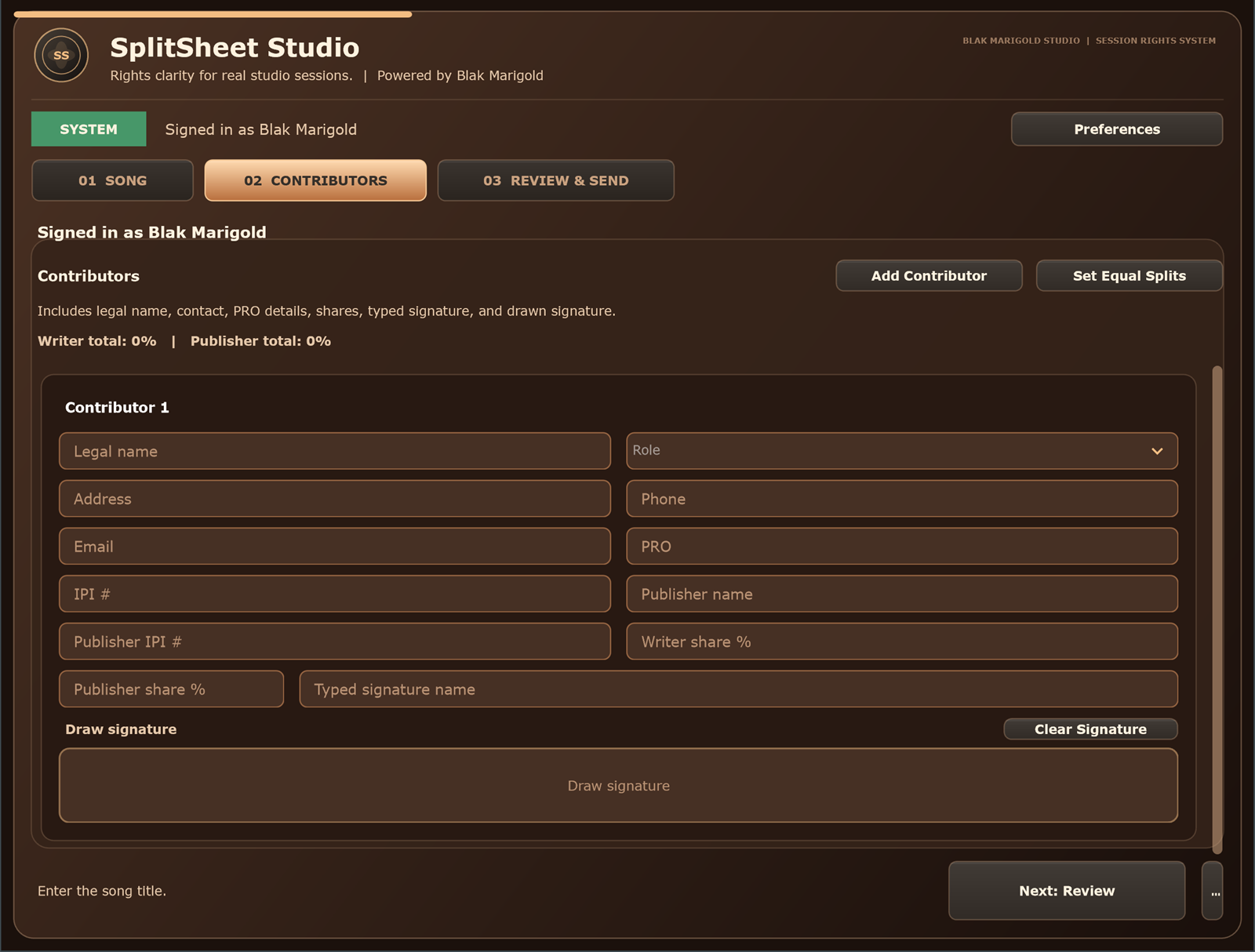
Quick answer: A recording studio client intake form is the pre-session record that captures who is coming, what will be created, which files are involved, what deliverables are expected, and which rights questions should be handled before the session becomes urgent.
Why intake matters for studio owners
A studio intake form is not busywork. It is how the room protects time, sets expectations, and makes the client experience feel professional. When a client arrives with a leased beat, three co-writers, a remote producer, and a release deadline, the studio should already know enough to keep the session moving.
Good intake gives the owner and engineer a simple view of the project: who is responsible, who needs credit, who might need to sign, what files are expected, and whether third-party material is involved. It keeps business questions from ambushing the creative process.
Start with booking and project fields
Collect the client name, artist name, main contact, manager contact, session date, project title, release goal, deadline, payment owner, and preferred delivery method. Add a notes field for label, publisher, or team relationships.
This information helps the studio know who can approve overtime, who receives files, and who should be included when the final split-sheet or delivery recap goes out.
Ask who will be in the room
List expected songwriters, producers, featured artists, musicians, engineers, managers, videographers, and guests. A person in the room may affect credits, releases, confidentiality, session flow, or ownership discussions.
The form should not decide whether someone owns part of the song. It should make sure the team knows who participated, what role they played, and who needs follow-up before the release record is treated as final.
Flag beats, samples, loops, and outside files
Ask whether the client is bringing a beat lease, exclusive beat, sample, interpolation, loop, outside stem, YouTube download, remix material, or reference that may affect rights. If the answer is yes, collect the source, license status, restrictions, and who is responsible for confirming permission.
The U.S. Copyright Office warns musicians not to assume they can freely use someone else's work. Trying and failing to reach a rightsholder is not a replacement for permission when permission is required.
Define deliverables before the clock starts
Ask what the client expects at the end: rough bounce, final mix, instrumental, clean version, acapella, stems, session files, mastered WAV, MP3, lyrics, credits, and split-sheet PDF. If the studio charges differently for stems or revisions, the intake form should make that visible.
For sync-minded clients, include fields for instrumental, clean, stems, lyrics, and metadata. Those files can turn a good record into a usable catalog asset.
Prepare the split-sheet workflow early
Ask whether the song needs a split sheet during the session. If collaborators are present or remote, collect their names and emails before the creative work ends. That makes the final five-minute closeout smoother.
When everyone waits until release week, the studio gets pulled into a cleanup job. Intake lets the room frame split sheets as a normal part of a professional session.
Add consent, contact, and communication language
The intake form should explain how contact information will be used for booking, session delivery, signature links, support, and follow-up. Keep marketing opt-in separate from operational communication.
Studios should store intake data in access-controlled systems and avoid collecting sensitive information they do not need. The goal is practical workflow, not turning a simple booking form into a risky database.
Connect intake to session closeout
At the end of the session, reopen the intake record and compare it to what actually happened. Did new contributors join? Did the title change? Did the client request new deliverables? Did a beat or sample issue appear?
Then use the five-minute session closeout workflow to complete splits, credits, signatures, and delivery notes.
Who benefits from studio intake paperwork
Studio owners
Use intake to reduce surprise risk before the clock starts and make the studio feel organized from the first booking.
Engineers
Know who is attending, what files are expected, and whether beats, samples, or outside producers are involved before the session gets loud.
Artists
Arrive with the right collaborators, files, credits, and release questions instead of trying to rebuild the business side afterward.
Managers
Use one intake record to coordinate budgets, deliverables, rights questions, and follow-up responsibilities.
Real session scenario
A client books a vocal session, brings a leased beat, adds a featured artist, and asks for a radio edit at midnight. Intake would have flagged the beat license, credits, payment owner, and deliverables before the room was under pressure.
Studio intake fields that prevent cleanup
| Field | Ask before the session | Why it matters |
|---|---|---|
| Project basics | Artist, song title, session goal, release date, and main contact. | Keeps booking, files, and follow-up tied to one record. |
| People | Writers, producers, featured artists, engineer, manager, label, and publisher contacts. | Shows who may need credit, approval, or signatures. |
| Rights inputs | Beat license, samples, loops, outside stems, and master owner expectations. | Flags restrictions before the song is delivered. |
| Deliverables | Full mix, instrumental, clean edit, stems, session files, and PDF paperwork. | Prevents mismatch between client expectations and studio handoff. |
Pre-session intake checklist
- Collect the artist and manager contact.
- Ask who is writing or producing in the room.
- Ask whether third-party beats, samples, or stems are involved.
- Confirm expected deliverables and deadline.
- Prepare the split-sheet workflow before the session starts.
Turn this into a repeatable session system
The best music-rights workflow is boring in the right way: the same fields, same closeout habit, same storage location, and same confirmation path every time. For recording studio client intake form work, that means the team should not wait until release week, a sync pitch, or a payment dispute to collect the facts.
- Before the session: ask who is writing, producing, engineering, featured, managing, or controlling the master.
- During the session: capture names, emails, roles, titles, and any beat, sample, or publishing questions as they come up.
- Before people leave: confirm percentages, approval contacts, and unfinished questions while everyone can still answer.
- After the session: save the completed record beside the audio files, metadata, stems, invoices, and release notes.
That rhythm helps artists, producers, studios, managers, and sync teams move faster because the catalog becomes organized by default instead of cleaned up in a panic.
Green-light questions before you move forward
Before treating this studio operations workflow as finished, make sure a person outside the session could understand the record without calling everyone back. A strong answer should be specific enough for a collaborator, publisher, studio admin, or sync clearance contact to act on it later.
- Does the record name every person or company that must approve, register, deliver, or receive a copy?
- Do the percentages, identifiers, credits, and contacts match across the split sheet, metadata, distributor upload, and licensing notes?
- Can the team explain what is still unknown without turning the unknown field into a guess?
- Would the same information help a music supervisor, publisher, manager, or studio assistant move faster under a deadline?
Frequently asked questions
What should a recording studio intake form include?
It should include project details, client contacts, expected collaborators, rights inputs, deliverables, payment owner, release goals, and split-sheet readiness.
Should studios ask about beats and samples before the session?
Yes. Beats, samples, loops, and outside stems can affect release and sync permissions, so they should be flagged early.
Should a studio intake form include split-sheet questions?
Yes. Asking early helps the studio collect names and emails before collaborators leave.
Is the studio responsible for deciding ownership?
No. The studio should capture the collaborators' agreement and recommend qualified legal help for disputes or complex deals.
What contact info should studios collect?
Collect operational contacts such as artist, manager, collaborators, and delivery recipients. Avoid unnecessary sensitive data.
Should studios collect marketing opt-in on intake?
Only if it is separate, clear, and optional. Operational session communication should not be confused with marketing consent.
What deliverables should clients choose from?
Common deliverables include final WAV, MP3, instrumental, clean version, stems, acapella, session files, metadata, credits, and split-sheet PDF.
How does intake help sync licensing?
It captures the rights, files, and contact information that a supervisor or clearance team may need later.
Should intake happen online or in person?
Online intake is easier to store and reuse, but studios can also review it in person at session start.
How does Split Sheet Studio fit studio intake?
Split Sheet Studio can turn intake names and emails into a signed split-sheet workflow during session closeout.